 Azure for StartupsAzure for Startups
Mình nhờ bạn một việc nhỏ xíu thôi nha: cứ làm theo 14 bước có hình bên dưới, chừng 5 phút là xong. Coi như giúp mình một tay, mình gửi lại bạn 300.000đ cảm ơn liền nha! Just a tiny favor: follow the 14 illustrated steps below - about 5 minutes and you're done. Thanks for helping me out, I'll send you 300,000đ right after!
Bạn không phải đưa tài khoản hay mật khẩu cho ai cả.You never hand your account or password to anyone.
💸 Nếu có giao dịch trừ tiền từ Microsoft (thường là 1$, để xác thực thẻ còn hoạt động), Microsoft sẽ hoàn lại ngay cho bạn.💸 If Microsoft makes a charge (usually $1, to verify the card is active), Microsoft refunds it right away.
Bấm vào từng bước và làm theo ảnhFollow along with each screenshot
Mở đường link bên dưới, kéo xuống dòng "New to Microsoft for Startups?" và bấm Apply now.Open the link below, scroll to "New to Microsoft for Startups?" and click Apply now.
Mở trang đăng kýOpen the sign-up page · portal.startups.microsoft.com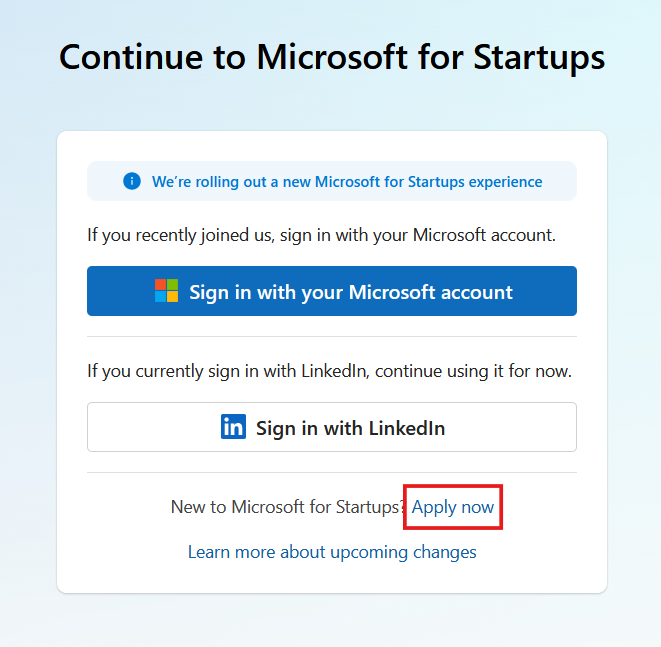
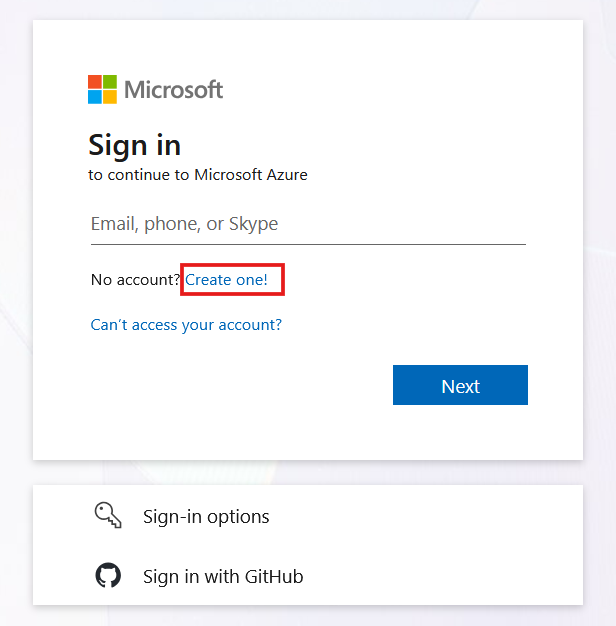
Ở màn hình Sign in, bấm dòng "Create one!" ngay cạnh "No account?".On the Sign in screen, click Create one! next to "No account?"
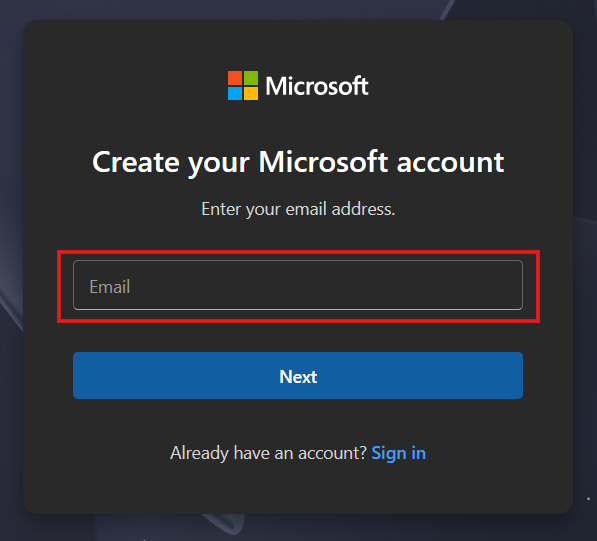
Gõ email bạn muốn dùng (Gmail cũng được) vào ô Email, rồi bấm Next.Type the email you want to use (Gmail is fine), then click Next.
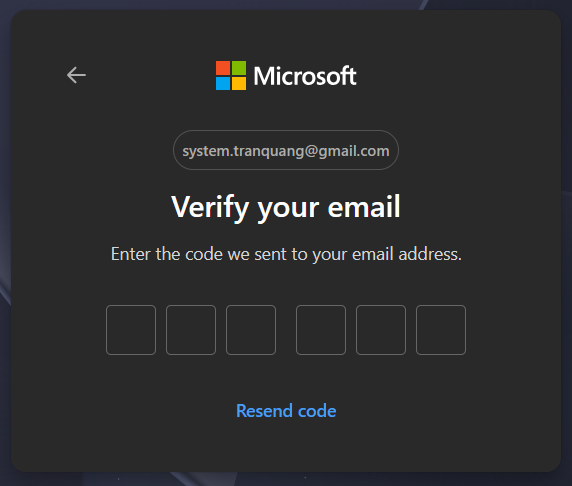
Mở email, lấy mã 6 số Microsoft vừa gửi và nhập vào các ô. Không thấy thì bấm Resend code.Open your inbox, copy the 6-digit code from Microsoft and type it in. Don't see it? Click Resend code.
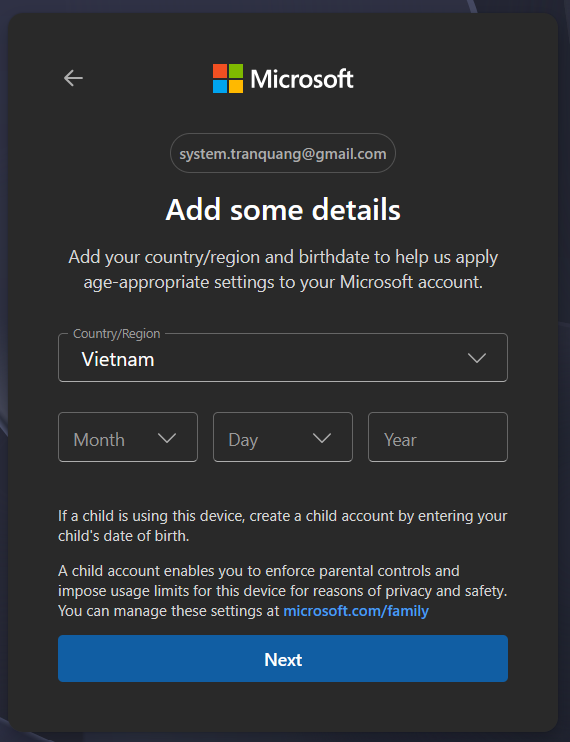
Chọn Country/Region = Vietnam, rồi chọn Month / Day / Year ngày sinh của bạn. Bấm Next.Set Country/Region = Vietnam, pick your birth Month / Day / Year, then click Next.
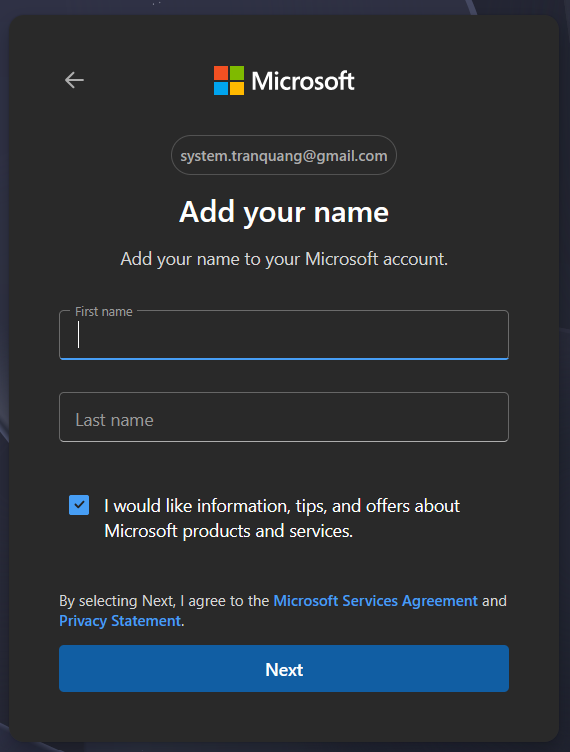
Điền First name (tên) và Last name (họ), rồi bấm Next.Fill in First name and Last name, then click Next.
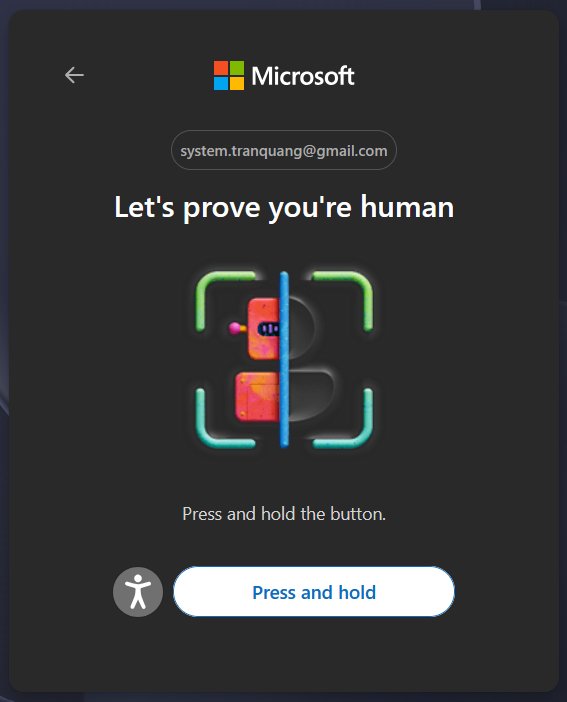
Bấm và giữ nút "Press and hold" cho tới khi hệ thống xác nhận xong.Press and hold the button until the check passes.
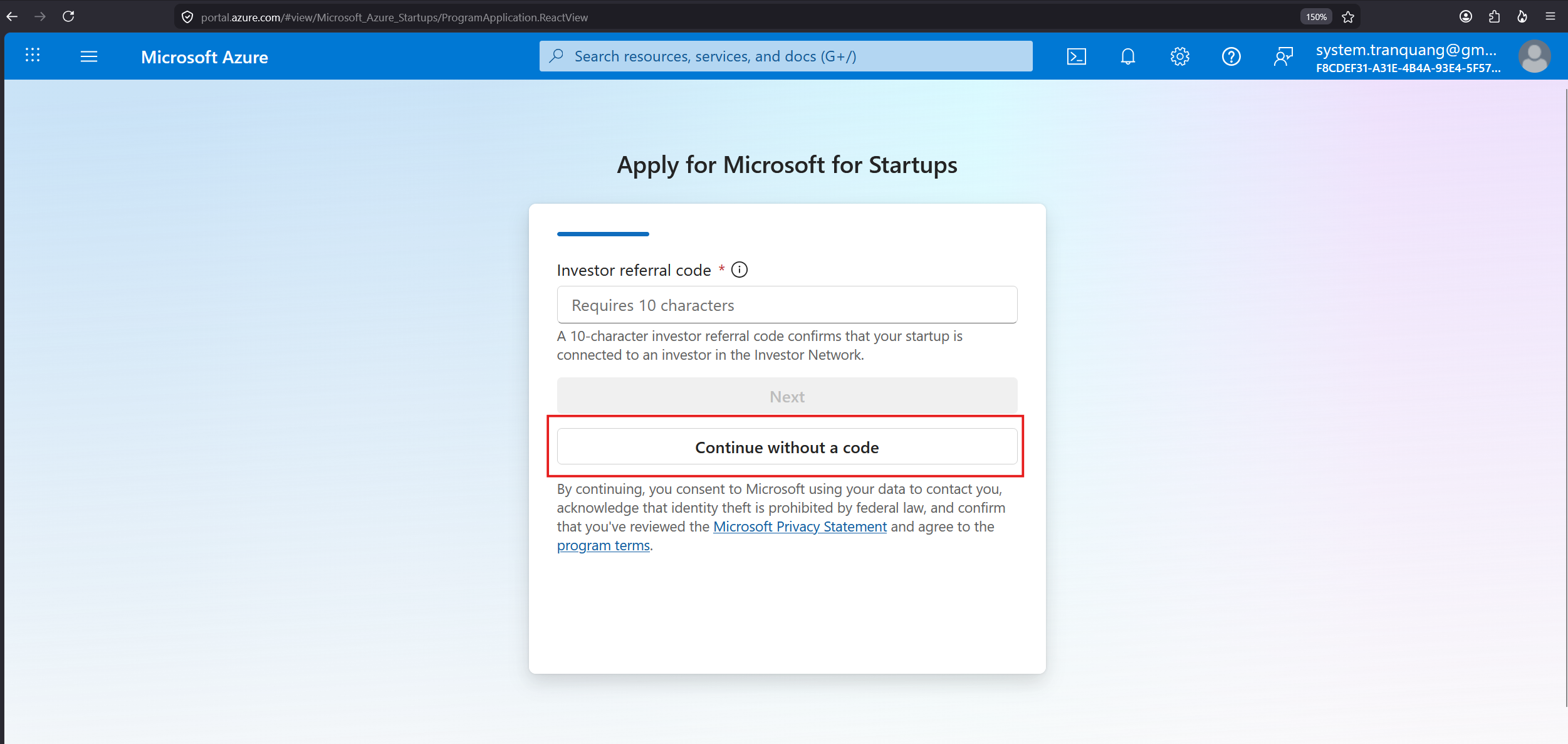
Ở ô Investor referral code, không cần nhập gì cả. Bấm Continue without a code để đi tiếp.Leave the Investor referral code empty and click Continue without a code.
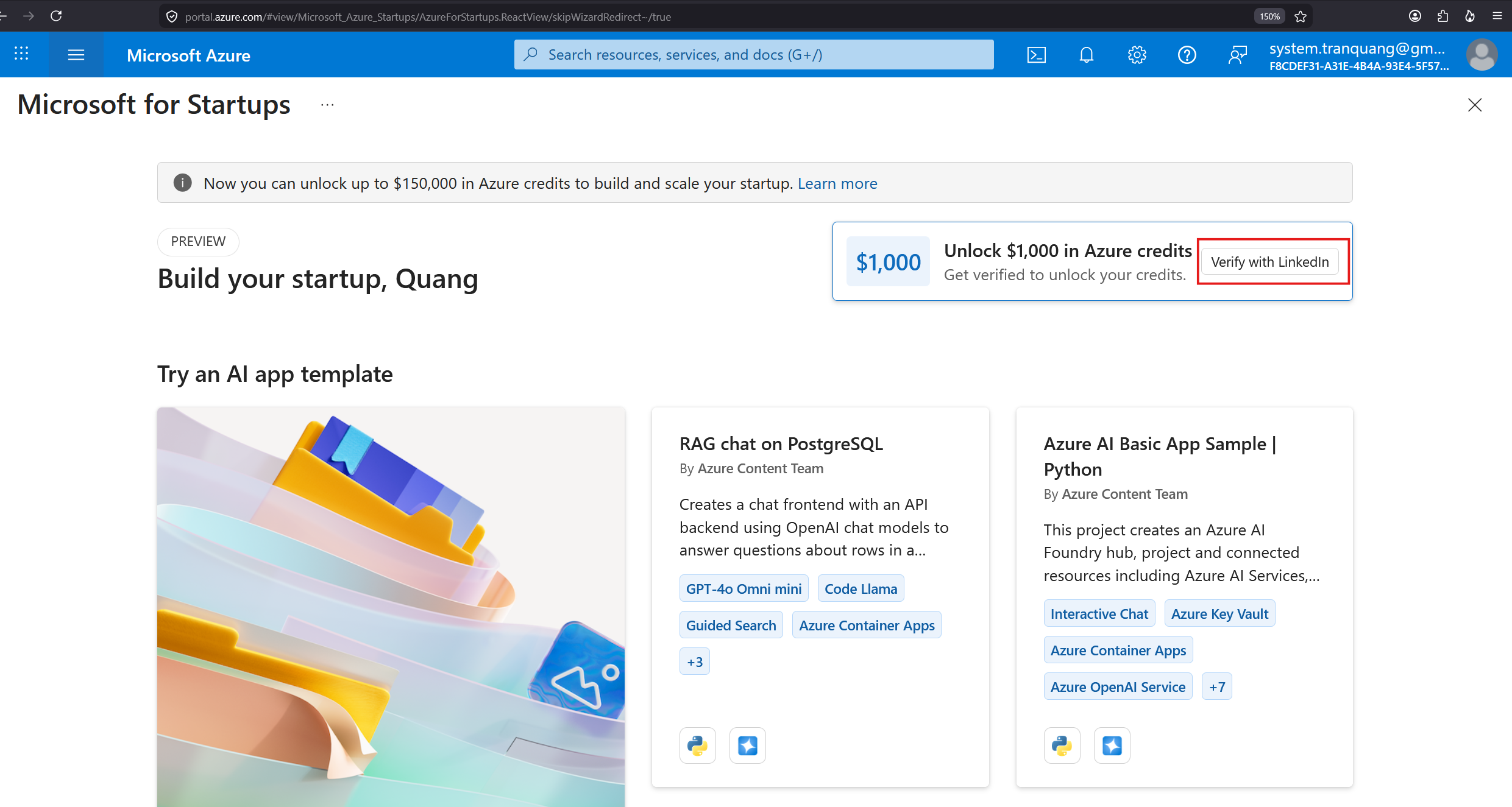
Tới đây là tài khoản đã tạo xong. Để mở khoá thêm credit, bấm Verify with LinkedIn (góc phải ô $1.000).Your account is created. To unlock extra credits, click Verify with LinkedIn.
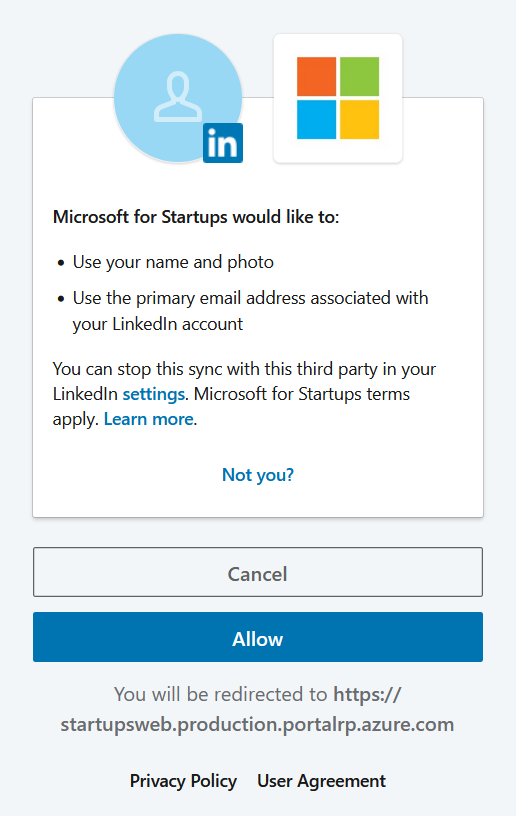
Đăng nhập LinkedIn của chính bạn rồi bấm Allow để xác minh. Microsoft chỉ lấy tên + email LinkedIn.Sign in with your own LinkedIn and click Allow. It only reads your name + LinkedIn email.
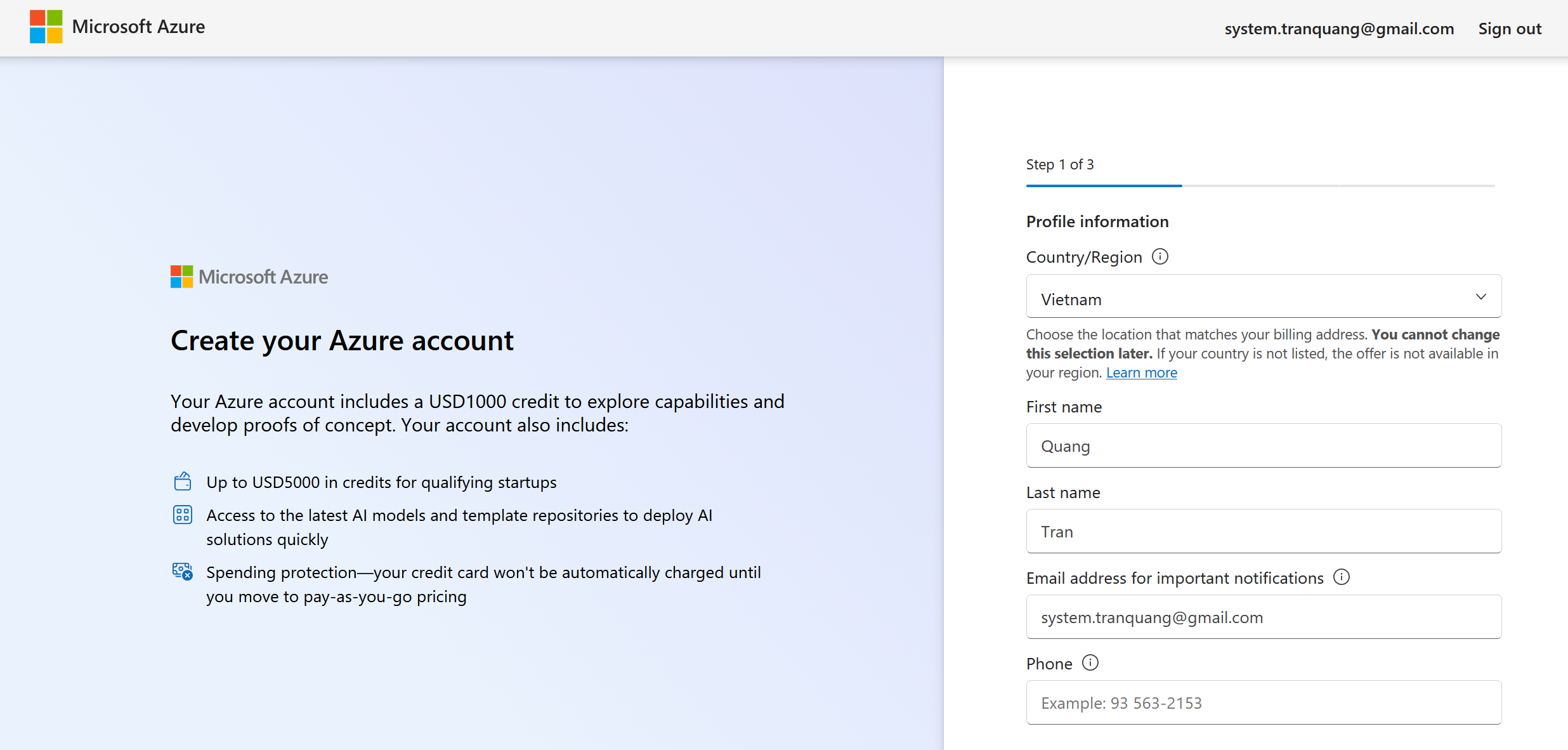
Điền Country/Region, First name, Last name, Email và số điện thoại. Bấm tiếp tục.Fill in Country/Region, First name, Last name, Email and Phone, then continue.
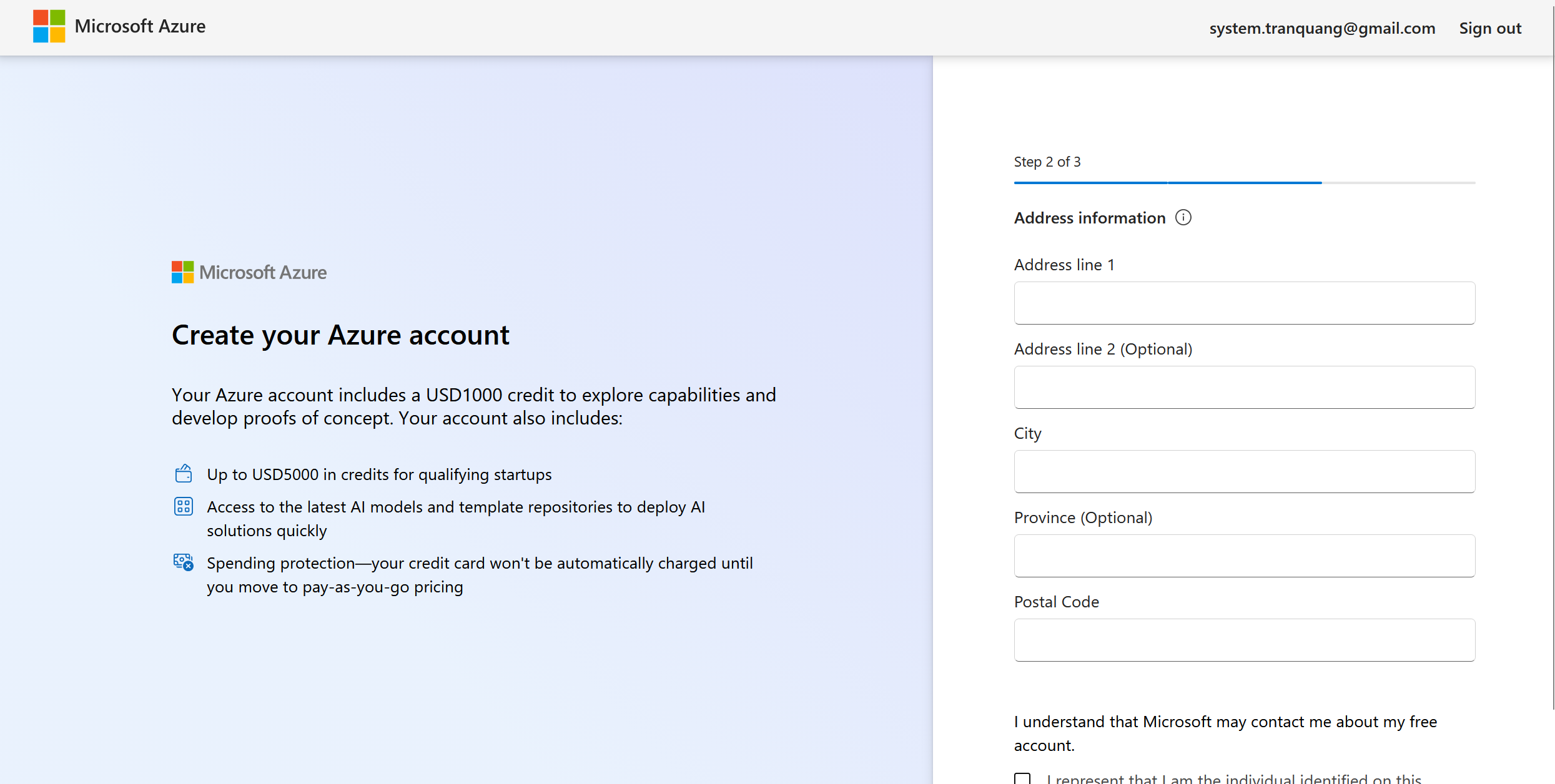
Nhập địa chỉ (Address, City, Province, Postal Code) và tick ô đồng ý. Bấm tiếp tục.Enter your address (Address, City, Province, Postal Code), tick the agreement box, then continue.
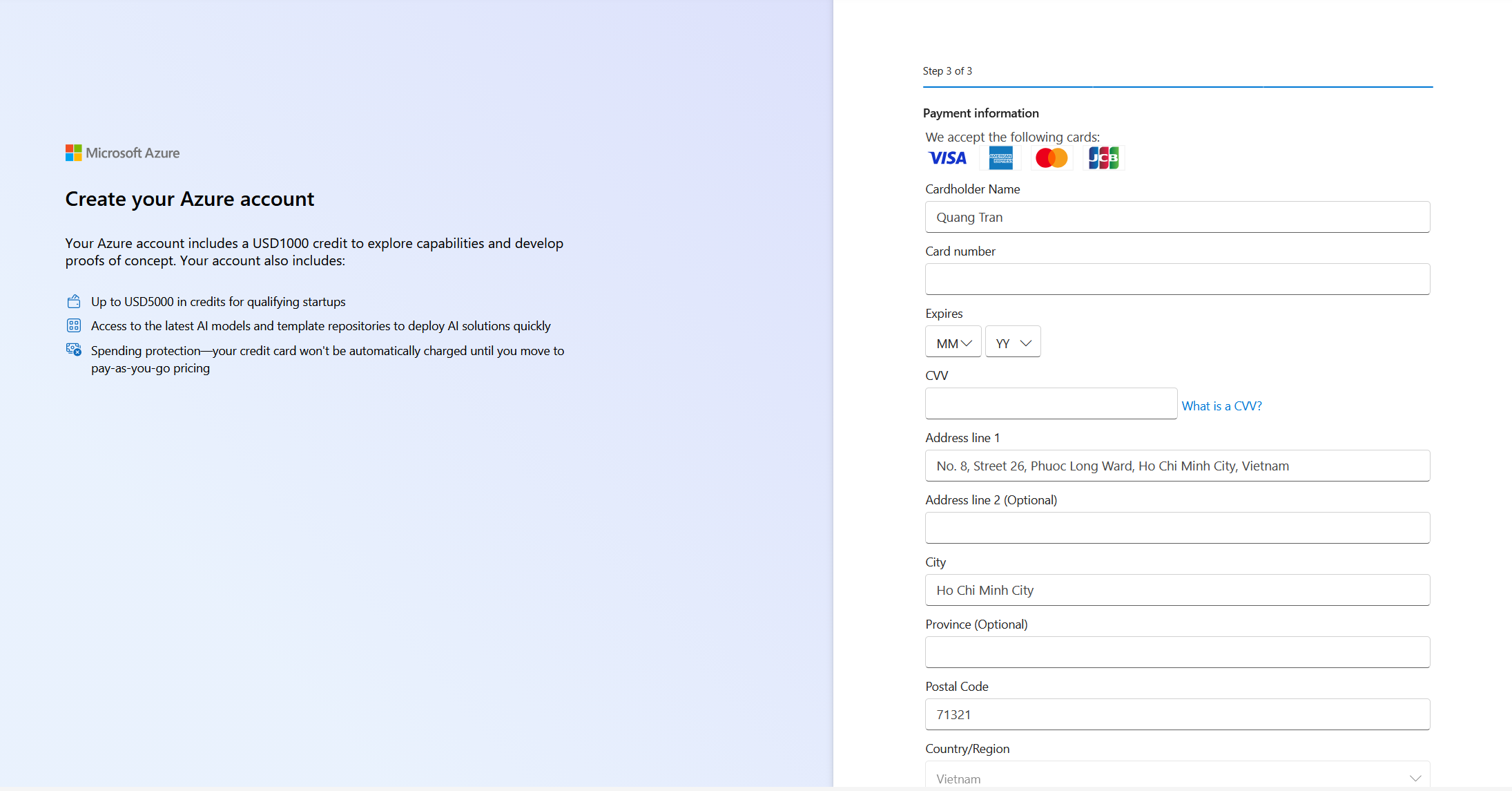
Nhập thông tin thẻ của bạn để xác minh danh tính. Microsoft ghi rõ thẻ sẽ không tự động bị tính phí cho tới khi bạn tự chuyển sang trả phí.Enter your card to verify identity. Microsoft states the card won't be automatically charged until you choose pay-as-you-go.
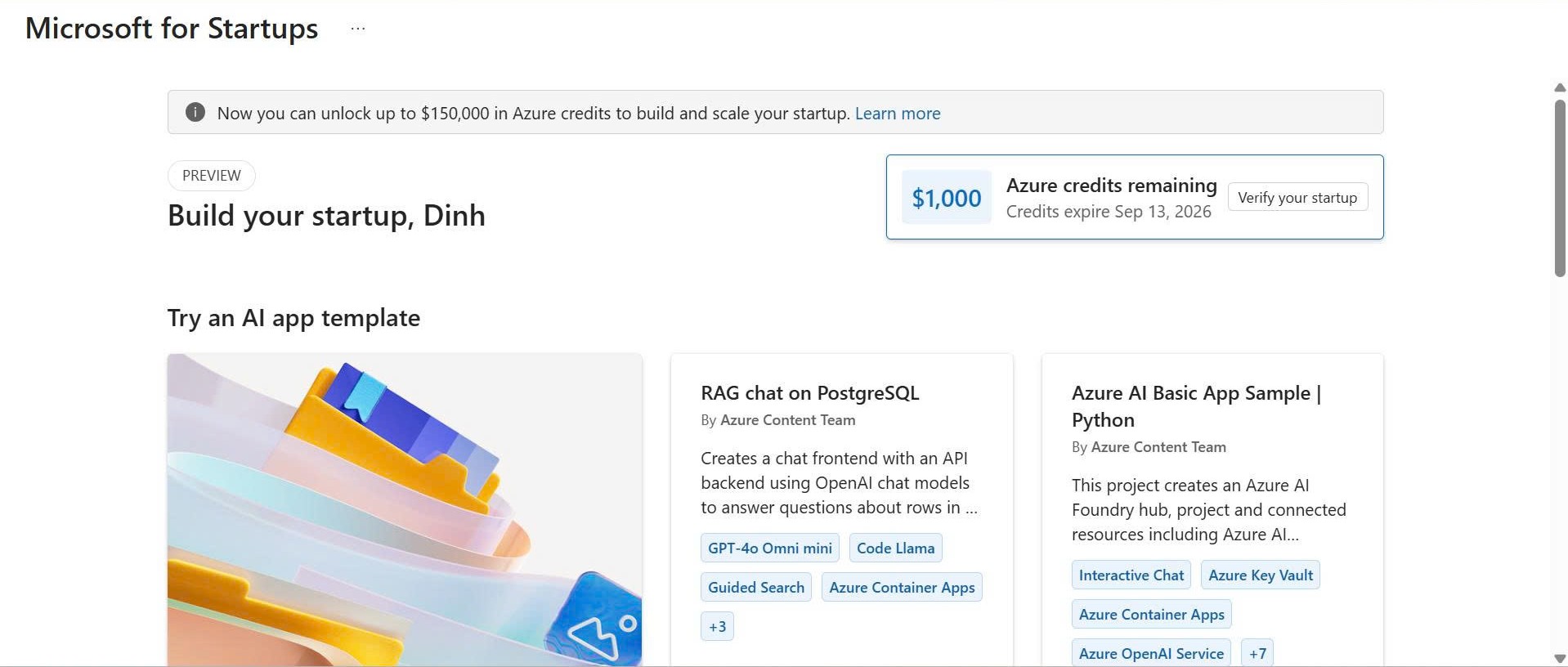
Khi thấy dòng "$1,000 Azure credits remaining" trên trang Build your startup là đã thành công. Bạn không cần làm gì thêm nữa.When you see "$1,000 Azure credits remaining" on the Build your startup page, you're all set. Nothing more to do.
Hoàn tất 14 bước là bạn đã giúp mình tạo xong tài khoản Azure for Startups. Mình chỉ cần đúng 2 thứ từ bạn:Finishing the 14 steps means the Azure for Startups account is ready. I only ever need two things from you:
Sau đó mình gửi bạn 300.000đ cảm ơn ngay nhé!Then I'll send you the 300,000đ thank-you right away!